

A dental AI Receptionist call script should be a decision system, not a paragraph the voice reads word for word. It needs a natural opening, clear intent routing, approved questions, booking rules and a safe path to a person.
Below is a clinic-ready template you can adapt. Clinical advice, emergency instructions and treatment claims must be written and approved by the dental practice.
The opening
“Thank you for calling [Practice Name]. I can help with appointments, treatment enquiries or connecting you with the team. What can I help with today?”
The open question lets the caller explain the reason in their own words. The AI should acknowledge that answer before asking for details.
Intent routing
Classify the call into one of these paths:
- new-patient or treatment enquiry;
- existing appointment, reschedule or cancellation;
- existing-patient administrative request;
- billing, records or referral request;
- clinical, urgent, sensitive or complaint-related call;
- direct request for a person.
If the intent is unclear, ask one clarifying question. Do not keep the caller inside a loop.
New-patient script
“Absolutely. Are you looking for a routine dental visit or do you have a particular treatment in mind?”
Then collect only what is needed to identify the correct appointment type:
- new or returning patient;
- treatment interest;
- preferred location, if relevant;
- preferred days or time range;
- name and contact details;
- communication consent where required.
Avoid diagnosing from symptoms. If the caller describes pain, swelling, trauma, bleeding or another potentially urgent concern, move to the practice’s approved urgent-call path.
Dental implant or full-arch enquiry script
“I can help you arrange an implant consultation. The clinical team will assess your needs and explain suitable options. May I ask whether you are interested in replacing one tooth, several teeth or a full row?”
Useful non-clinical questions can include:
- Is the enquiry for the caller?
- Has the person visited the practice before?
- Do they have recent scans or a referral they want to discuss?
- Are they looking for the earliest consultation or a particular provider?
- Do they need a call from the treatment coordinator before booking?
Do not use these answers to declare eligibility. Suitability requires professional assessment.
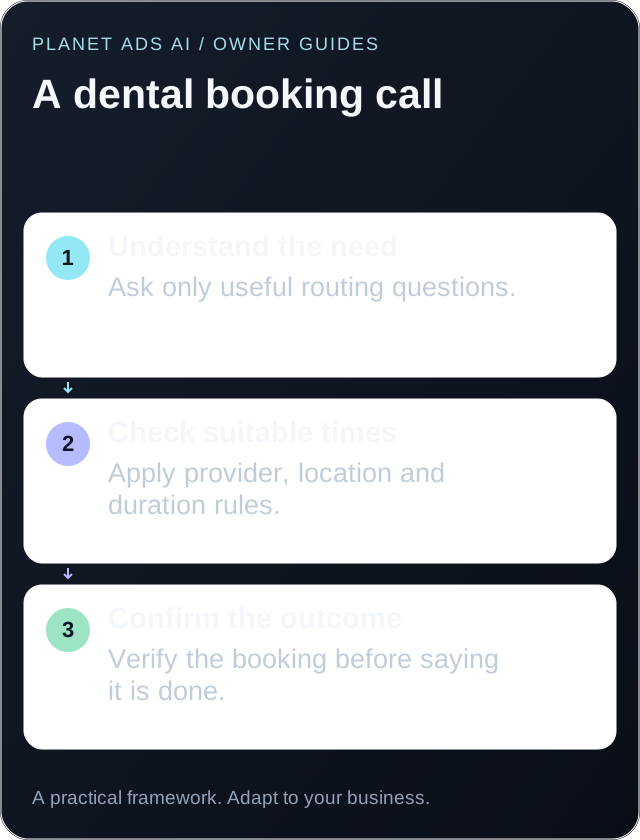
Booking script
“I can offer Tuesday at 10:30 or Thursday at 3:00 for a [consultation type] at [location]. Which works better?”
After selection, repeat:
- appointment type;
- date and local time;
- location and provider, when relevant;
- name and contact details;
- approved arrival or preparation instructions;
- cancellation or deposit terms only when the practice has approved the wording.
Ask the caller to confirm. Then create the appointment and verify that the calendar returned a success response before saying it is booked.
Reschedule and cancellation script
“I can help with that. Please tell me the name on the appointment and the appointment date.”
Before changing anything, verify the practice’s approved identifiers. Restrict the AI to appointment types it is authorized to edit. If the appointment is linked to a procedure, specialist, deposit or clinical instruction, transfer it rather than guessing.
Clinical boundary script
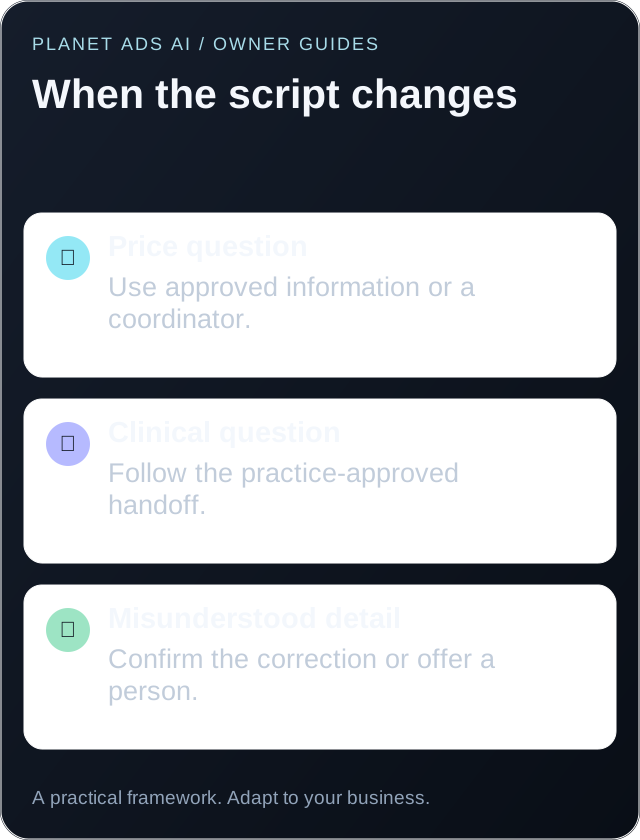
“I’m not able to assess symptoms or give clinical advice. I can connect you with the dental team or follow the practice’s urgent-call process.”
The next action must be specific. It might be a warm transfer, an on-call route, a priority callback or the practice’s approved emergency instruction. Never invent the instruction.
Human handoff script
“Of course. I’ll connect you with the right person and pass along what you have already told me.”
Send the receiving team the caller’s name, intent, relevant details and completed actions. If nobody answers, offer the approved fallback rather than sending the caller into another unexplained queue.
The call summary template
Use a fixed structure:
| Field | Example |
|---|---|
| Caller | Name and verified callback number |
| Status | New or existing patient |
| Intent | Implant consultation |
| Details | Full-row interest; earliest weekday preferred |
| Outcome | Booked, transferred, callback or incomplete |
| Appointment | Type, provider, location, date and time |
| Escalation | Destination and reason |
| Follow-up | Named owner and deadline |
Test the script before launch
Run at least 25 scenarios. Include interruptions, background noise, a caller correcting their name, unavailable times, two treatment interests, a clinical question, a complaint and a direct human request. Verify the actual calendar and transfer result after every test.
For US practices, review call data and vendors against HHS guidance on HIPAA and cloud computing and the ADA HIPAA resources. This template is operational guidance, not clinical or legal advice.
How to answer “How much are dental implants?”
A price enquiry is a normal part of choosing a practice. Avoid treating it as evidence that the caller is not serious. Give the practice-approved information you can provide, then explain what requires assessment.
“I can share the practice’s approved starting information. The dental team confirms the treatment plan and individual price after assessment. Would you like the consultation details or a call from the treatment coordinator?”
If the practice publishes a starting price, include its approved conditions accurately. Do not introduce financing terms, monthly payments or discounts that the team has not authorized. If the caller asks again, offer a person rather than repeating the same booking prompt.
What to say when the caller is not ready to book
Some people need to compare options or talk with a family member. Give them a useful choice without creating pressure:
“Of course. Would you prefer the team to answer a specific question, or would you rather contact us when you are ready?”
Record the answer. If they request a callback, confirm the channel and timing under the practice’s contact policy. If they prefer to return themselves, do not turn that into an automated sequence. A respectful ending keeps the next conversation easier.
For a caller researching on someone else’s behalf, explain the general consultation process. Do not disclose an existing patient’s appointment or treatment details without following the practice’s verification and authorization process.
Recover naturally when the AI misunderstands
The script needs repair phrases as well as opening lines. When a date is unclear, ask a short confirmation question instead of restarting the whole conversation:
“Did you mean Tuesday the 12th, or Thursday the 14th?”
When the caller corrects their phone number, repeat only the corrected detail and confirm it. When understanding repeatedly fails, offer a person or the approved callback route. An apparently smooth conversation is not successful if it leaves the wrong details in the calendar.
Test these repair moments with your front desk. The implant enquiry questions guide can help you remove questions that do not change the next action.
See the complete guide to an AI Receptionist for dental practices or enquire about a custom call-flow demo.